Display Data Management Export Sequences
-
On the Application tab, under Data Collection, click Data Sources.
-
Expand Data Mgmt Export Sequences and select a data management export sequence.
-
Under Data Management Settings, in the Data Export Sequence Name field, click the ellipsis (...).
-
On the Object Lookup dialog box, select the Data Management Sequence based on the workspace location.
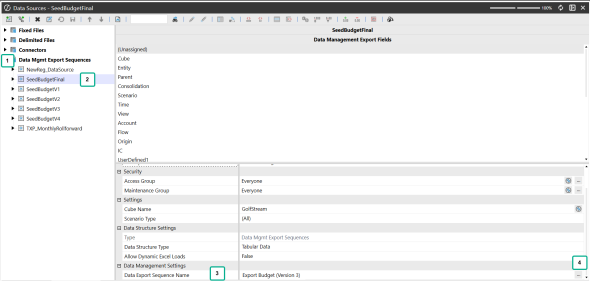
NOTE: You can select Data Management Sequences from the following areas: Default Workspace/Default Maintenance Unit, Default Workspace/Non-Default Maintenance Unit, and Non-Default Workspace for the Data Export Sequence Name.
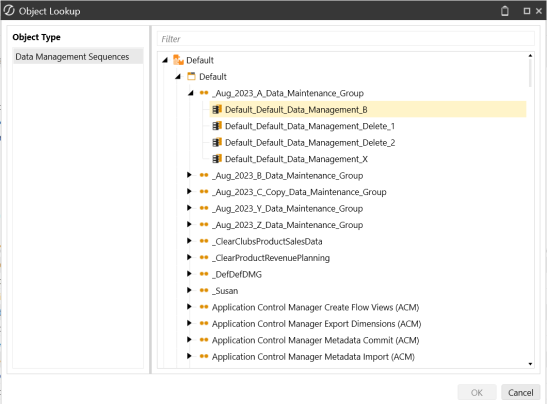
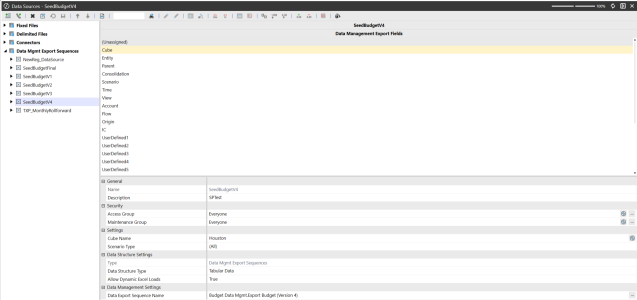
NOTE: The workspace name will be prefixed to the Data Management Sequence Name if you are selecting a sequence outside the Default Workspace. For example, Budget Data Management workspace is prefixed to Export Budget (Version 4) sequence.


